
How to Organize Client Video Projects
Create one project for the client or series, then add a folder for each campaign that needs its own review. Keep replacements in the original post’s version history.
Set up your client project and folders
Create the project
Use the client, brand, or series name for the top-level project.
Add folders for distinct work
Use folders for campaign footage, recurring series, or sets of alternate edits.
Keep real revisions together
Upload a revised cut as a version of the original. Open the right folder before sharing a batch with a client.
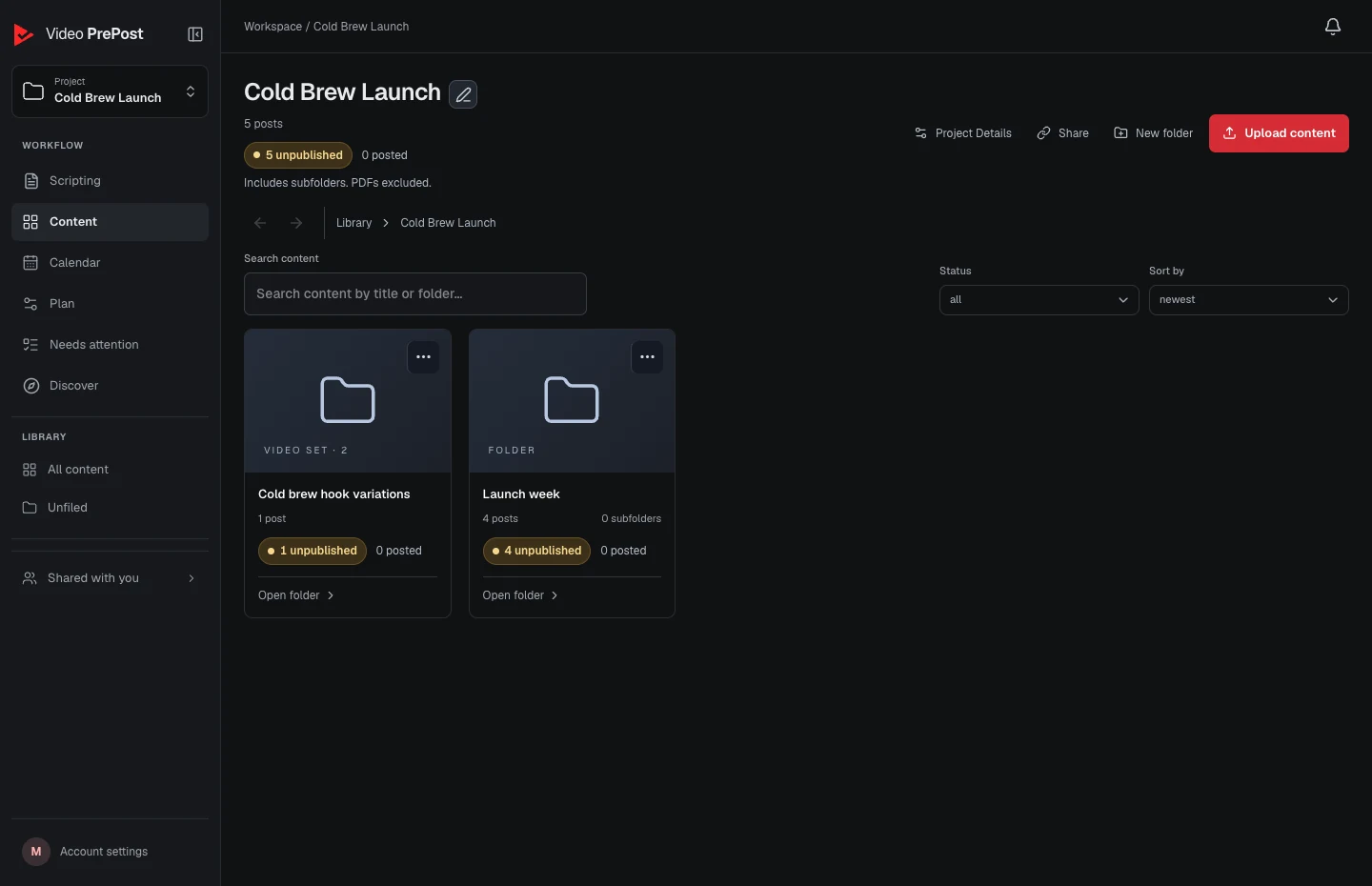
A structure you can copy
Use Cold Brew Launch as the project. Put the main recipe cut and script PDF in Launch week, and use a separate folder for alternate opening hooks that share a posting date.
Make it easy to find the right cut
Projects are the top level of a client or series. Folders underneath help you organize media by campaign or deliverable. Versions live on their individual media posts.
Creators with multiple clients need a fast way to find the right project, review link, and posting plan. A small number of consistently named folders makes handoffs easier for someone new to the account.