
How to Turn a Video Into an Email Newsletter
Open the finished video in AI Studio → Email newsletter. Choose a format, draft from the transcript, and edit the subject, preview text, and body around one thing your reader can use.
Create and check the newsletter draft
Start with a finished idea
Open the source video and correct the transcript. Decide what one useful thing the reader should get.
Choose a format and give direction
Open Email newsletter in AI Studio. Pick a style such as One-Minute Tactic or Step-by-Step Playbook and tell it who the email is for.
Edit the email as a reader
Pick a subject, use preview text to add new information, and check the steps and claims against the recording.
Copy it into your email platform
Review the CTA and any link destinations. Check the mobile preview and send a test through your email tool before sending to subscribers.
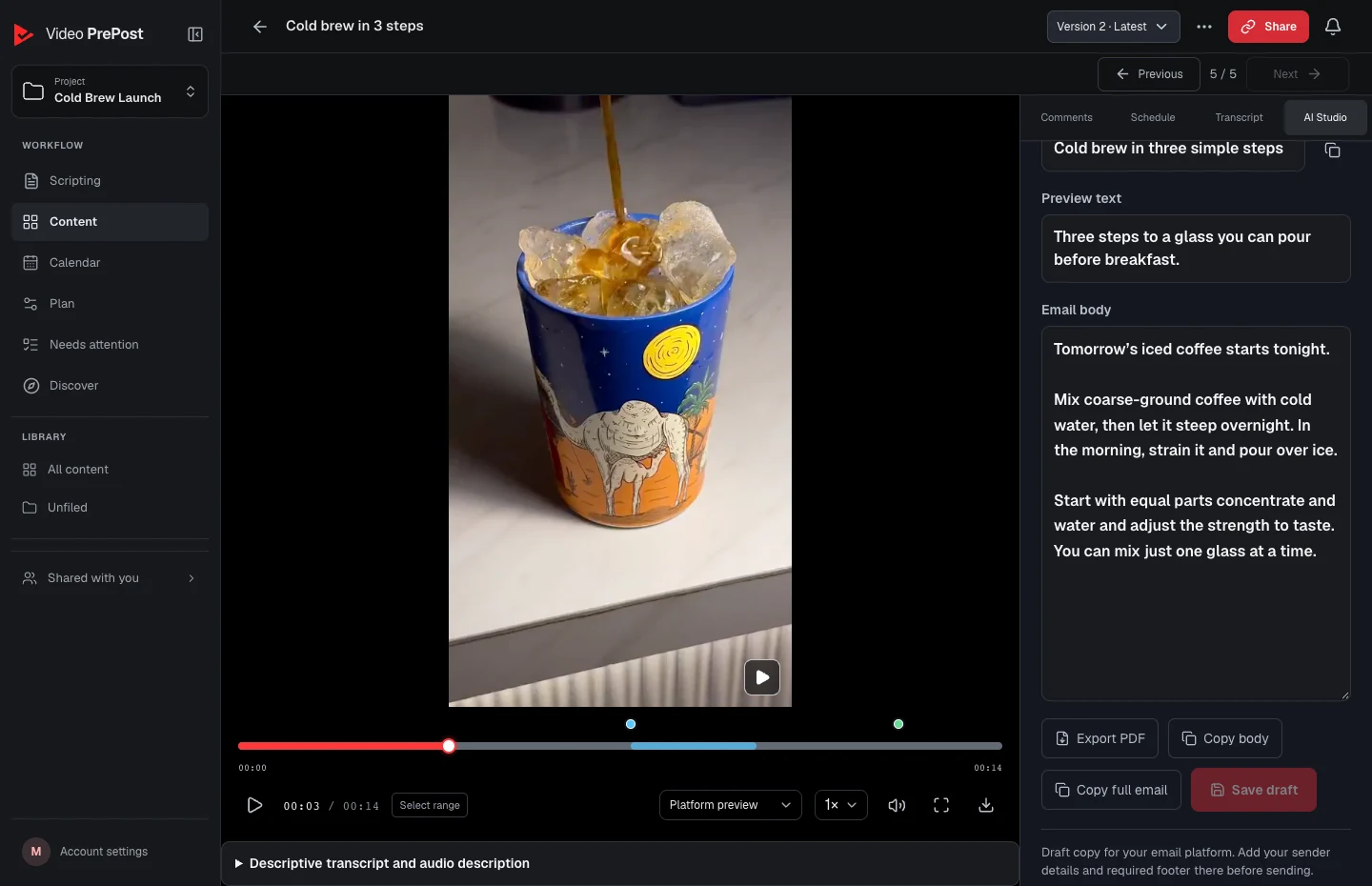
A recipe reel becomes tomorrow’s email
The reel shows a pour and teaches overnight steeping. The email leads with the benefit, then gives readers a practical recipe they can make without pressing play.
Subject · Tomorrow’s iced coffee starts tonight Preview · Three steps to a glass you can pour before breakfast. Opening · Mix coarse-ground coffee with cold water and let it steep overnight. Strain it in the morning, pour it over ice, and adjust the strength to taste.
Make the email useful without the video
Email newsletter uses a video transcript to draft subject options, preview text, and the email body. You can choose an editorial format, edit each field, and copy the email into the tool you send from.
If a useful video took time to script, film, and edit, its central idea can reach your email list as well. A good repurposed email gives readers something useful even when they never open the original video.